Kylescope
AI ToolsAutomationsWorkflowsAnalyticsPricing
Sign in
RecentWebsite homepage copyQ2 marketing strategyCompetitor research briefSales email draftEmployee handoff intro
Saved outputsMy documents 12Shared with me 4
Browse categoriesWritingBusinessAutomationsWorkflowsAnalyticsWriting services
Need a custom AI tool?

Build a tool tailored to your team's exact workflow.

Request a custom buildView pricing
HomeToolsBrowseSavedAccount
Home/AI Automations/Customer Follow-Up Nudge

Start here

Configure Customer Follow-Up Nudge in plain language

Start with the repeated task first. Name what triggers the work, what information is needed, what should happen next, and where a person must approve exceptions before anything goes live.

Free automation-fit previewNo card needed for scopingPayPal Checkout and cards later
Configure this automation
TriggerInputsActionApprovalHelp

01

Trigger

Lead status changes to quoted, pending, unpaid, or inactive.

02

Inputs

Customer stage, Service type, Previous message

03

Action

Follow-up message sequence.

04

Approval

User approves message before sending.

Customer Follow-Up Nudge free scoping3 of 3 free previews left

Test the workspace first. Save, export, review, or pay only when the next step is clear.

Payment route

Move this automation into PayPal or card-supported checkout after scope approval.

Use the workspace or quote path first. Pay only when the output, subscription, deposit, or scoped delivery step is clear enough to approve.

Pay by card or PayPalRequest quote firstOpen dashboard

Payment paths include direct PayPal Checkout where configured, a hosted PayPal fallback, and quote-first requests for custom builds. PayPal may support wallet payments plus eligible credit and debit cards.

Recommended UI model

Visual automation builder

No-code automation builder with connected steps, rule chips, and a test run panel.

Zapier, Make, HubSpot, Shopify Flow
TriggerActionFilterApprovalTest
Primary workspaceTrigger-action canvas with logs and test state

Choose the lightest useful path

Workflow map, automation setup, or custom system?

Map the workflow

Best when the team still needs to agree on the steps, inputs, approvals, and exceptions.

Open path

Configure this automation

Best when the repeated task is already clear and you need a safer trigger-action-approval path.

Open path

Build a custom system

Best when this automation needs dashboards, accounts, integrations, reporting, or ongoing operational control.

Open path

Free preview first

Use customer follow-up nudge first, then save, export, or request expert help when the result matters

Keep triggers, approvals, repeat tasks, and human review paths inside one signed-in automation workspace instead of scattered setup pages.

Automation workspaceAI AutomationsFree first-use previewCards through PayPal Checkout laterSave drafts and outputsUnified Kylescope access
Open Automations hubCompare free and paid access

Account access

Sign up to access tools, save work, and move into human help from one account

Every tool page supports self-serve exploration, but signing up unlocks the connected dashboard around saved outputs, requests, workflows, analytics, and human-delivered services.

Save drafts and outputsExport polished filesTrack requests and upgrades
Sign up freeLog inRequest human help
ContinuityUse now, sign in when ready

This page keeps the public SEO and self-serve path open, while sign-in unlocks a more connected private dashboard around the same work.

Next laneMove from setup into monitored delivery

The same account can hold the automation route, the human review lane, and the commercial follow-up path.

Commercial pathPublic page first, private workspace when ready

Every route still supports a cleaner step up into Project Desk, pricing, or expert help without breaking the original page logic, breadcrumb trail, or discovery flow.

Automation setup page

Customer Follow-Up Nudge

Send polite follow-ups to customers who asked for prices, received quotes, started bookings, or went silent.

This page is built to help a business connect an operational bottleneck to a realistic automation path instead of treating automation like a vague promise.
Kenya from KES 500/month. International from USD 150 setup.User approves message before sending.
Automate follow-upsUse simple tool first
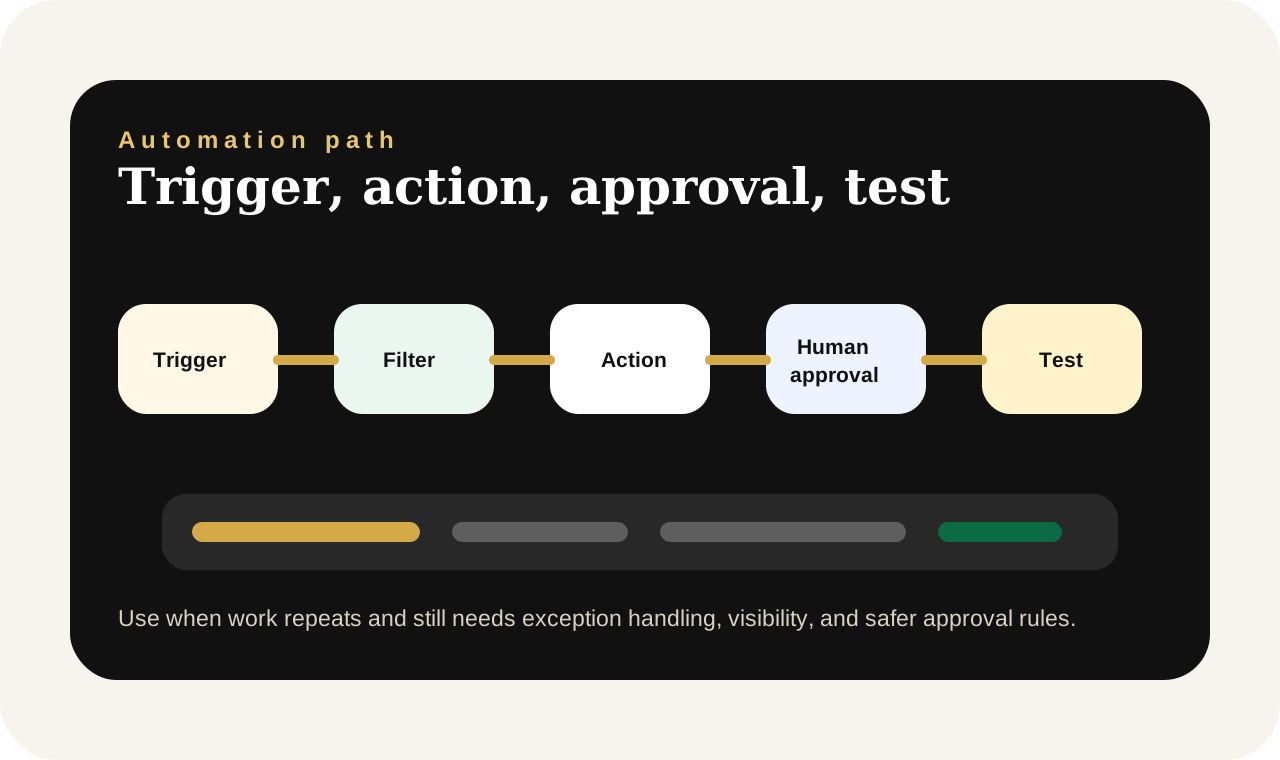
Kylescope Customer Follow-Up Nudge automation flow showing trigger, inputs, action, human approval, and test path
Automation flow.Customer Follow-Up Nudge is shown as a trigger-action-approval path so users can see the operational logic before requesting setup.

Automation operations room

Customer Follow-Up Nudge combines human approvals with AI-driven execution

This automation path is designed to reduce repeated operational work while keeping the approvals, exception handling, and team visibility that real businesses still need.

Kenya from KES 500/month. International from USD 150 setup.User approves message before sending.Quotes that go quiet after the first replyBookings that stall halfway
OPERATIONAL FLOW ACROSS URBAN AND REGIONAL LANES

Trigger

Lead status changes to quoted, pending, unpaid, or inactive.

Output

Follow-up message sequence.

Human checkpoint

User approves message before sending.

Pain point

Why businesses request this automation

Many leads disappear because no one follows up at the right time.

Best-fit lane

Use this when the task keeps coming back and inconsistency is already showing up

This route is strongest when reminders, confirmations, approvals, or updates are happening often enough that teams are relying on memory, screenshots, and manual follow-up.

Human checkpoint

Keep automation where repetition helps and keep approvals where judgment still matters

User approves message before sending.

How the automation works

A route from repeated task to consistent customer output

01

Lead status changes or inactivity is noticed

The workflow starts when a customer has gone quiet after a quote, booking step, or payment discussion.

02

Kyro checks the stage and previous context

The follow-up is shaped by what the lead already received, how long it has been, and how firm or gentle the tone should be.

03

The business approves the message sequence

A human can review the first nudge, second reminder, or final polite follow-up before it reaches the customer.

04

The customer is pushed toward one clear response

The message should guide the prospect to confirm, ask a question, pay, or close the loop instead of staying vague.

Human-centered overview

What this setup helps people stop doing manually

This automation is useful when the business already gets leads but loses too many after the first inquiry. Kyro helps time the follow-up better, keep the tone polite, and make the next step clearer so the message feels useful instead of desperate.

The goal is not just speed. It is calmer operations, clearer handoff, and fewer repeat mistakes in a live business environment.

Not yet when

Stay lighter when the process is still unclear or still needs judgment at every step.

If the business has not agreed on the process yet, start with a tool or workflow-design conversation first. Good automation should follow clarity, not replace it.

Inputs needed

Customer stageService typePrevious messageQuote amountTone

Output produced

Follow-up message sequence.

Hi Mercy, just checking in on the cleaning quote we sent earlier. If you still need the service this week, I can confirm availability and help you lock in the booking.

User approves message before sending.

Commercial model

Kylescope automation requests are scoped for international delivery, structured around business impact, and finalized through a PayPal Checkout quote with eligible card options after review.

Best-fit use cases

Quotes that go quiet after the first replyBookings that stall halfwayPayment reminders after partial commitment

Setup request form

Request automation setup

Share the business name, where the task happens, how often it happens, the current manual process, the desired automatic result, whether a human should still approve the message, and the budget or currency path.

The clearer the request is about trigger, approvals, exception handling, and business risk, the easier it becomes to scope an automation that feels dependable after launch.

NamePhoneEmailCountry or regionPreferred contact channelBusiness nameWhere the task happensHow often it happensCurrent manual processDesired automatic resultNeed human approvalBudgetCurrencyFile uploadNotes
Automate follow-upsUse simple tool first

FAQs

Questions businesses usually ask before setup

Can the sequence include more than one reminder?

Yes. The workflow can prepare staged follow-ups instead of only one message.

Will the follow-up sound pushy?

No. The tone can be kept polite, warm, or firm depending on the lead stage.

Is this only for Kenyan businesses?

No. International teams can also use the same logic for remote sales and service follow-up.

Related paths

Strong next pages around this workflow

Follow-Up Generator

Use the tool first if you need a one-off follow-up message before requesting a recurring workflow.

Open page

Quote Maker

Useful when the drop-off problem begins with slow or unclear quotes rather than follow-up timing alone.

Open page

Project Desk

Best when follow-up should also connect to saved records, statuses, or wider customer workflows.

Open page